Showing posts with label CRA. Show all posts

Tuesday, November 29, 2022

Mathigon & Polypad & Puzzles...Oh My!

I have been a fan of Mathigon's Polypad for quite a while now, and have found many great ways for it to be used to help students build better mathematical understanding as well as to challenge their current understandings.

I want to share a few of the great resources available on Mathigon in hopes that you will find ways for them to work for you and your students!

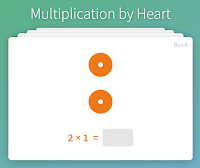
The Multiplication by Heart cards (created by Math for Love) are great visual practice for students as they learn to understand and master their multiplication facts.  

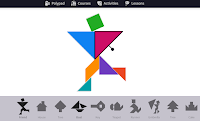
Of course, I also enjoy the Tangram  Builder which is located in the Activities section.

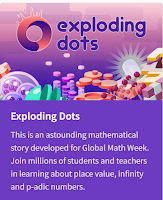
Exploding Dots can also be found here.  If you have not spent time in the Exploding Dots world by James Tanton, do yourself and your students a favor!  It would make for a great exploration for your students.  The Exploding Dots experience on Mathigon is an extension of the actual website, but still one to get you thinking.

What really got my attention on Mathigon is its Polypad section!  It has so many unique manipulatives and tools to offer your students.

This polypad includes a balance scale and fraction bars. Each could be used separately.


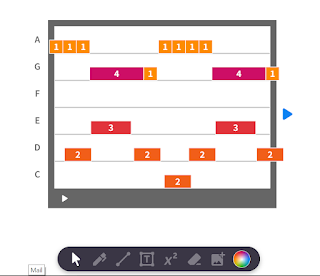
Students can make music using these tools found in Polypad.


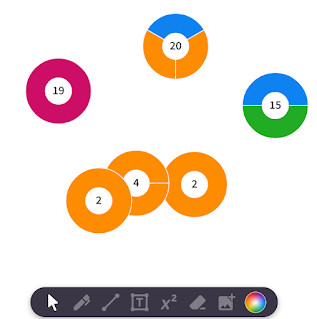
These Prime Factor Circles are a match to Prime Climb and can be decomposed (if composite) or combined as you wish to create new products.


This is just the tip of the iceberg in this fabulous site.  You can save and link activities that you make within the Polypad, but you can also use some of the many that are already prepared.  One last thing to explore is the Lessons tab.  Inside of there you will find your way to a variety of puzzles and explorations for you and your students.

Take the time for your students and yourself to explore this site.  You won't be disappointed!


Friday, July 3, 2020

Individual student toolkits for CRA instruction


If students are in your classroom in August, it will be worth your time to have some sort of math tool kits prepared for your students because it is not recommended that students share resources, and you don't want to be cleaning them every night. What you are able to put in the kits will depend on your resources.  

We know that CRA instruction is vital for conceptual understanding of mathematical concepts.  Just because we will have some limits in place (for everyone's safety), doesn't mean we should abandon best practices.  We just need to adjust and do what we can for our students.

As I have said before, the use of virtual manipulatives will probably increase in your instruction even if you are seeing students in person.  This is especially true for those manipulatives where students usually need a lot of them to do their work--like pattern blocks and base ten blocks. I recommend that you use the virtual versions some in the classroom so that students are comfortable with the websites if they should need to use them from home without your direct support.

You might also consider paper versions of some of these tools to have in students's toolkits.  Not only can you get them easily and cheaply for the classroom, but you can also send them home if you need to without the worry of losing valuable manipulatives.

You may not start the year with all of the items in the toolkits.  You might add some as students are introduced to new concepts. Here are some things you might consider putting into individual toolkits for your students:

K:
hundred grid from nrich.maths.org
number path  1-20 by Berkeley Everett
ten counters (unifix cubes?)
rekenrek
real or paper pattern blocks by Mathwire
+/- Math Flips cards (+/- 1) by Berkeley Everett
Quantity Cards from Erickson Early Math Collaborative
pair of dice

1:
hundred grid from nrich.maths.org
number path  1-20 by Berkeley Everett
twenty counters (unifix cubes ?)
rekenrek
beaded number line
small clock face paper version
real or paper pattern blocks by Mathwire
pair of dice

2:
hundred grid from nrich.maths.org
number line 1-20 by Math Salamanders
twenty counters (cm cubes?)
rekenrek
beaded number line
small clock face   paper version
play coins, dollar bills
ruler
real or paper pattern blocks by Mathwire
real or paper base ten blocks from Tim Van de Vall
+/- Math Flips cards by Berkeley Everett (Doubles/Near Doubles) (make 10 with 2 addends)                        (make 10 with 3 addends) (2 digit + 1 digit) (2 digit + 2 digit) (subtraction within 20) (subtraction within 100)                                                                       
pair of dice

3:
twenty or more counters (cm cubes?)
beaded number line
small clock face   paper version
play coins, dollar bills
ruler
10 x 10 array (laminate)
real or paper pattern blocks by Mathwire
real or paper base ten blocks from Tim Van de Vall
paper Fraction Strip  from Math Salamander (blank version)
paper Fraction Circle Pieces Page 1   Page 2  Page 3
+/- Math Flips cards by Berkeley Everett (if needed from previous grades)
 x Math Flips cards by Berkeley Everett (2s,5s, and 10s) (4s, 6s,& 8s) (3s & 6s) (9s & 4s)
pair of dice

4:
thirty-six counters (cm cubes?)
beaded number line
ruler
10 x 10 array (laminate)
real or paper pattern blocks by Mathwire
real or paper base ten blocks from Tim Van de Vall
paper Fraction Strip  from Math Salamander
paper Fraction Circle Pieces Page 1   Page 2  Page 3
+/- Math Flips cards by Berkeley Everett (if needed from previous grades)
 x Math Flips cards by Berkeley Everett
pair of dice

5:
thirty-six counters (cm cubes?)
beaded number line
ruler
real or paper pattern blocks by Mathwire
real or paper base ten blocks from Tim Van de Vall
paper Fraction strip from Math Salamander
paper Fraction Circle Pieces Page 1   Page 2  Page 3
Math Flips cards by Berkeley Everett (if needed from previous grades)
pair of dice

If you laminate many of the paper tools, students could use a dry erase marker to create representations.

What am I forgetting?


Sunday, May 17, 2020

Looking for Virtual Manipulatives?

While we are still unsure how our instruction will be delivered in the fall, there is one thing we are sure of....student's involvement in the concrete phase of learning math is important!

Sending home concrete manipulatives for all of our students may be too costly for most schools.  Purchasing enough to send home is not the only problem: we know it is doubtful that many of these tools will return to our buildings.  With that in mind, here I am going to highlight some of the best virtual manipulatives I have been able to find and use.

I highly recommend using these with students this fall even if we are face to face.  Allowing for guided use now will make it easier should they need to use them again at some point in the year.

I have always been a fan of Math Learning Center Apps, and I have shared these apps with many teachers before! These apps have always been free and easy to access and use.  Because of the pandemic's rise in at-home schooling, they have added an extra feature!  Sharing!  Four of the apps can be set and shared with students and/or students can share with you.  There is a video explaining how this works, and I have had success with it myself.  There are many great apps here.  Some of my favorites include the Number Rack, the Number Line, and the Partial Product Finder.  However, I can think of many great uses of the other apps.  I just have not used them myself in a classroom.
These are the apps that allow sharing at this time.
Toy Theater also has a great selection of virtual manipulatives. I do not have as much experience with these, but it has some great ones such as interactive hundreds and mulitiplication charts, a variety of counters, dice, and some graphing apps.  I think it could meet a lot of needs!
A great variety
Didax also has free online manipulatives. I have only found these while I've been sheltering at home, so I do not have experience in the classroom with them.  You'll find many that are available above, but here you will also find linking cubes and a math balance!  It also has algebra tiles and prime factor tiles that can be used in middle grades. (because manipulatives are just as important there!)

A few other places that you can find specialty links:
MathToybox has a Cuisenaire rods app.

ABCYa has some fraction tiles that are nice.
I hope you can take some time to explore these apps and find the ones that will work best for you and your students' needs!  It might be a good way to start the school year, whether we are virtual or in-person, to spend some time walking students through these tools, how to get to them, and how to use them.  That way, when the time arises, they will be able to use them more independently!  Remind them that they can use them and explore with them whenever they want.  Exploring these tools independently helps students to see relationships and make sense of it all on their own.

The other thing that is great about these virtual tools is that you can use them to create your visuals for your SMART docs, Google slides, or student tasks.  Math is visual, and these provide us with good ways to show the math to our students.

I hope we have the chance to use concrete manipulatives in August with our students, but now is the time to prepare in case we don't.  I hope you can find tools at some of these sites that match the ones your students typically use in the classroom.


Tuesday, March 10, 2020

Math is Visual


Our students need access to math visually as much as possible.   This can come in different ways.  Drawing, manipulatives and online components are some places to start.

I spend a lot of time in classrooms working around word problems.  One of the things I find myself constantly coming back to with students is "Think like a reader:" use schema, make predictions, infer, VISUALIZE...that is what good thinkers do.  Asking students to draw what they are seeing happening in the problem is an important step.  That drawing can be a true drawing, a number line, a tape diagram, or anything else that helps them make sense.  Are they thinking through the problem or are they just pulling the numbers and computing without making sense? 

I also use numberless word problems a lot. Numberless word problems give students the opportunity to see the problem as a story and to make sense of it without worrying about the numbers.  Once you have practiced this strategy in class, it is a strategy they can refer to independently when they come across a word problem that confuses them.

Manipulatives are important, too.  CRA instruction helps us to build the visual into the child's mind by using tools to represent the math.  This is important for all students and provides equity in instruction.

There are many websites with visual representations.  One of the best is Math Visuals.  Berkeley Everett has created a treasure trove of visuals for the K-5 classroom.  His short videos to accompany skills like counting and computing are a fabulous resource, but they are just the beginning.  He brings visual supports to understanding mathematical properties and making connections through visuals, too.  In addition, his Math Flips cards are well worth the time to cut out and use with all of your students.

Many other awesome websites exist, too, that are very visual.  Math is Visual, Fraction Talks, Same or Different, Number Talk Images, and Slow Reveal Graphs are just a few of the visual resources that may help you and your students make more sense of mathematical concepts.

Visual math is for all students.  We have to be careful not to assume they can see it in their heads.  We have to help them see it in their heads...Visuals help students to make sense.  They help students to look for patterns.  Visuals help students to answer the question, "What does the data tell us?"

In what ways can you provide your students with more visuals?  This is an important area for all of us to grow.

Tuesday, October 1, 2019

Put Math in their Hands

I often talk to teachers about the importance of concrete representations for our students.  The use of concrete tools helps all students to gain a better understanding of the function at hand.  It also creates a visual representation that will be a reference for students to use as they advance into more advanced mathematical ideas.

In this post, I want to share some simple concrete representations that teachers can help students develop as they work to make sense of a new concept.

Doubles/Doubles +1: Both the rekenrek and ten frames help students to make more sense of what a double is and how we build from that to doubles + 1.


Doubles on ten-frame:  3 + 3 =6


Doubles + 1:  3 + 4 = (3 + 3) +1 =7


Doubles on rekenrek: 6 + 6 = 12


Doubles +1:  6 + 7 = (6 + 6) + 1 = 13

The rekenrek is a great tool for doubles facts between 10 and 20.  Student can see that all of the green beads have been pulled over, which is 10.  They only need to add on the white beads.


Addition/Subtraction within 100:  For this skill to take hold, I find beaded number lines and base ten blocks to be good concrete tools to use because they carry over so nicely into an open number line representation.  Open number lines are important for students to use to build number sense.


Addition on Beaded Number Line:  17 + 35 = 52


Addition with Base Ten:  17 + 35 = 52


Subtraction on Beaded Number Line:  44 - 18 = 26
Open number lines are important, but they are often too abstract for many of our students.  Combining the use of the beaded number line or base ten blocks with the creation of an open number line helps for it all to make more sense for the students.

Multiplication:  For learning multiplication facts, creating arrays is a nice way to start.  This should help students to see how repeated addition is connected to multiplication.  Any small object will work to help students create arrays.  Using the number card templates will allow them to create a visual more quickly at times when they need a visual but don't have time to build an array.


Multiplication with Base Ten Blocks:  22 x 23 = 506

The 22 and 23 were created at the top of this image and on the left side of the problem using base ten blocks.  Multiplying a blue ten and anothe blue ten gives you an orange 100.  The same continues until we end up with 4 hundreds, 10 tens, and 6 ones for a total of 506.

For multi-digit multiplication, building the array using base-ten blocks works well to connect the arrays that student made for facts under 100 with the longer problems that they are ready for now.  Besides--the base-ten blocks transition nicely into graph paper representations and finally into the area model of multiplication for multi-digit numbers.

Decimals:  The beaded number line can be used for addition and subtraction of decimals less than 1, and it can also be used to round and compare decimals.


Rounding on the beaded number line:  0.86 is closer to 0.9 than 0.8


Adding decimals on a beaded numer line:  0.6 + o.14 = 0.74


I hope that you find some of these ideas helpful and that you find ways to incorporate them into your explanation of numbers with your students.  There are many ways that can be used for different problems.  If you have a concrete tool that works well for teaching these skills, don't think you have to switch to one of these--do what works best for you and your students.  The key is to get the concrete math in their hands!  This way it will stick in their heads.  😊

Tuesday, October 23, 2018

Building Conceptual Understanding of Fractions

In 3rd, 4th, and 5th grades, fractions dominate much of our instructional time, and it is important that we work to help our students gain a firm grasp on the concepts of fractions. Going deep now will help them down the road as they use fractions in more complicated mathematical situations.

A reminder of the progression of fractions in elementary school by Graham Fletcher allows us to remember how important our models are:


Sometimes I'm afraid that teachers steer clear of fraction exploration because they are uncomfortable with them themselves.  Imagine all of the learning that could occur if we went out of our own comfort zone with our students?  

I have shared Fraction resources before in this blog.  I have also shared an exploration or two.  Here are some more resources that might help your students (and you) to make more sense of fractions.

When and when not to give the answer:  This Marilyn Burns' post offers an opportunity for your students to build their own understanding of fractions.

Fractions, Decimals, & Percentages:  A number talk which begins with fraction addition.

Exploring Fractions:  An article from nrich.maths.org which offers links to rich tasks that develop a deep understanding of fractions.

Illustrative Mathematics also has some resources that will help you better understand the horizontal progression of fraction skills.

Maybe you find one or two ideas above to help you stretch during your fractions unit--that's great!  Don't try to change everything all at once. As always, let me know if there is something I can do to help!

Monday, August 13, 2018

Virtual Concrete Manipulatives

We know how important concrete manipulatives are for our students as they build a deeper understanding of mathematical concepts. Being able to see and manipulate objects enables students to visually represent problems, see patterns, and make connections.

Hopefully, you have a variety of manipulatives in your room that students can easily access at all times.  Virtual manipulatives are important to have easily accessible, too!  Now is a good time to download some of these apps onto your iPad, bookmark on your computer, links in your SMART Notebooks or PowerPoints and/or add to your Symbaloo!


There are a lot of great FREE virtual manipulatives out there, but today I want to focus on the apps by Math Learning Center.  I have good success with many of them. The site has a lot of other good resources, so when you have some time, check them out as well!


Fractions: This app not only allows you to create bar or circle models of fractions, but it also to layer fraction models to see if they how they compare to one when you add them.
3/5 + 1/3 < 1
The app allows you to place number models or write directly on the screen as well. Take some time to explore the capabilities of this app!


Vocabulary Cards: Another great app that you can probably find multiple uses for! There is a large database of words in this app divided into grade bands K-2 and 3-5.  You can choose to see them all or only certain words.  Each card has 3 parts: the word, examples, and a definition.  You can choose which part you want hidden.  You can also choose the language for the card. I can see these being used as individual review for students, but I can also envision one of these on the board as an intro activity or even a quick exit task.

Money pieces:   The money pieces app allows you to display money with or without the accompanying base ten blocks depending on student needs.  It also has a variety of tools similar to the games Bears in the Cave or Pennies in the Hand where you can put your coins up and then hide some.  For example.  I have a pocket in the above screen.  If I told you that I have 35 cents altogether, can you tell what I have in my pocket?


With the click of a button, I can remove the pocket to show that there is a quarter in it.  You can do this similarly with a hand or a bank.  

Money seems to be difficult for children anymore because they have less interaction with it than we did. Our students don't get the same opportunities we did to spend cash, but it is still important to understand, and this app will give them some basic experiences with it.


Number Frames:  This app not only allows the important 5 frame, 10 frame, and Double 10 frame, it allows you to customize the frame you want up to 120. As with many of the apps, it allows you to enter number sentences and to write on the screen.  This app is not just for Littles!  Teachers in 3-5 can use it to explore place value as well as patterns in multiplication.


Number Lines:  I love this app!  It has so many options for you to customize the number line including fractions, decimals, hidden numbers, hidden tick marks... I think it really helps students to represent their work, and it marries nicely with the beaded number line for moving from concrete to representational.


Number Pieces:  There are two versions of this app.  The one I am showing above is more advanced than the version called Number Pieces Basic. It is base-ten blocks, but you can break the large pieces apart to show number relationships. You have choices in color and orientation of the pieces.  Again, you can enter number sentences or write on the screen.


Number Rack:  You know how much I love this one!  It comes in handy as a teacher model on the SMARTBoard as students manipulate their own Rekenreks.  It is customizable by sets of 10 up to 100. It allows for teacher annotations like the others, but it also allows for teachers to hide beads as below.  Well worth your time to explore this one--not just for Littles!

Do you know how many beads I have hidden?


Pattern Shapes: It is so important that we give students time to play with pattern blocks!  This offers a blank mat for students to create their own patterns.  It also has templates (as above) for students to fill in with shapes.  (Very good for sharpening visual skills)  For older students, it has two different grid backgrounds to allow exploration of area and perimeter.


Geoboard:  The geoboard app has different sizes of geoboards and allows for customization in many ways.  Another great one to have up on the SMARTBoard as students manipulate their own geoboards.


Partial Product Finder: While still in Beta form, this is an awesome app to help your students better understand partial products as well as the distributive property.  You can customize the rectangle up to 30 x 30 and then decompose one or both sides.  The matching equation shows up at the bottom of the screen. I have blogged about this one before--it is awesome!

I highly recommend that you take some time to explore these!  Hopefully you will find some that you make available for student use just as you do other manipulatives.  Maybe you'll find ways to use them within your instruction.  Whatever works best for you and your students!  


Let me know if you have other virtual manipulative apps that you would recommend!


Friday, April 13, 2018

Prove it!

I have really been working with my Firsties groups to teach them how to "prove" their answer.  They need to prove it to themselves first through either manipulatives or a representation, and then be prepared to share their steps so that they can prove it to someone else.

Today's task was a pretty basic one, but I find that those are important for them to do as they grow their ability to explain to each other what they did and how they know.  Today I asked them to find the sum of 6 + 8.

The variety and levels of their strategies was, as always, quite interesting...


This little one counted out 6 green and 8 orange.  She needed to think about what to do with them, but she then realized she needed to put them together.  She then proceeded to count all to get to the sum of 14.

This guy counted out 6 and 8.  He organized them into a line and then counted all.  His counting was a bit easier because of the line and the differentiation between the 6 and 8, but he still counted all of the cubes to get 14.

A similar approach with the counters...this little guy organized his 6 yellow and his 8 red.  He began with the 6 at the top and then counted on the next 8 to get 14.

Here was one who grouped his 8 and 6. He then started with the 8 and counted on the next 6 to get 14.  He decided to build the plus sign while he was waiting for the others.


There was some organization in this guy's work.  He grouped his 8 and 6 and then counted on from 8 to get his 14.  While he was proving it to the group, one of the others,  who had used a much more mottled strategy, blurted out, "It's a ten frame!" We took the time to explore how it was like a ten frame, but not quite, so we moved two yellow to the end of the black blocks to make our ten.  They immediately saw the 10 +4 and called out, "14!"


Now it was my turn.  I started with a stack of 6 and a stack of 8.  This time, however, we broke two off of the 8 to identify that each of the stacks was now worth 6, and the students called out, "6 + 6 =12." They then knew they needed to add the two back to get the 14.

This little activity doesn't take us long, but it shows me so much about the students' thinking and levels.  They have all been taught in the classroom to "start big and add on."  However, when working independently, they don't all do that.  When we look at each other's strategies, we identify how it works for each person.  We identify what looks the same and what looks different.  I model and discuss the way to organize our blocks so that they are easier to total.  In the end, however, we have a discussion about the fact that there are many ways to get to the same place.  We all need to use what makes sense to us.  

I was glad to see when I was in one of these student's classrooms today leading a 3 act task that one of the students that I see regularly was organized in her representation of the problem.   We were able to share her representation with the class and discuss how the organization that she used helped to make finding the sum a little easier.  

They are 6 and working to make sense of it all.  😃


Wednesday, January 31, 2018

Distributive Property Interactive Tool = Visual Learning


This interactive tool makes a great visual representation of the distributive property/partial products for our students!  It is from the Math Learning Center, and it will help you to visually show how the distributive property works.  You put in the array size in the top boxes (max of 30 x 30), and then you can decompose either side by sliding the little widgets on the side.